NewsScamsemail bombing
The 'IT Guy' Who Rescues Your Flooded Inbox Is the One Who Flooded It
Hackers flood your inbox, then show up on Teams offering to fix the mess they made
AI-assisted: AI tools were used in preparing this article.
The ‘IT Guy’ Who Rescues Your Flooded Inbox Is the One Who Flooded It
The 30-second version
Hackers are burying office workers’ inboxes under thousands of sign-up emails, then messaging them on Microsoft Teams as the company’s IT help desk, offering to fix it. The “fix” hands over your account or your computer. The defence is simple: end the chat, and contact IT yourself through the number or portal you already know.
It’s 10:40 on a Tuesday, and your inbox is on fire
You look up from a slide deck. Something is wrong with your email.
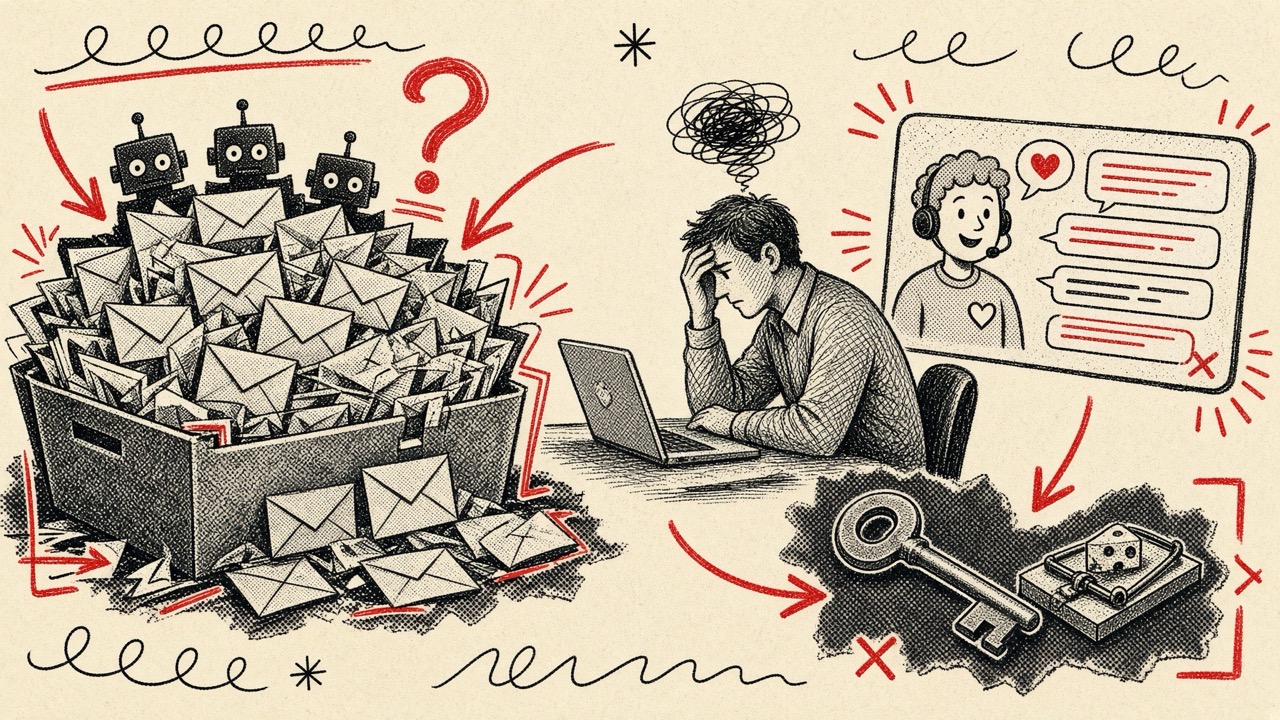
Newsletter welcomes. “Please confirm your subscription.” Webinar registrations you never made. A new one lands every few seconds, and by lunch there are hundreds.
Then Teams pings. A contact called “IT Support (Internal)” says they’ve spotted a spam attack on your mailbox. They can sort it out in five minutes. Could you hop on a quick call?
It feels like rescue. It is actually the second half of the attack.
This scene is a composite. But every detail in it, down to that display name, comes from real incidents that security researchers documented in 2026.
The flood is the bait, not the attack
On 21 November 2026, Hackread reported new findings from Fortra Intelligence and Research Experts (FIRE), the research team at security company Fortra. FIRE is tracking a two-part attack. First comes “mail bombing”. Then, right after, comes a fake IT support contact on Teams.
The numbers are blunt. Peak campaigns hit about 10,000 messages, roughly 1,000 a day, according to FIRE.
Here’s the clever part: the emails aren’t really spam. They are genuine confirmation messages from genuine newsletter services. FIRE saw Mailchimp and its Mandrill service most often, followed by Amazon SES and SendGrid. Each email, on its own, looks perfectly legitimate, so filters struggle to stop them.
And the sign-ups may not be typed by a human at all. FIRE says the pattern looks like an AI agent, meaning software that can browse websites and fill in forms on its own. It appears to be told to hunt for newsletter boxes and demo-request forms, then paste in the victim’s email address.
This isn’t one lone gang trying its luck. In October, Arctic Wolf Labs researcher Shubham Dubey published an analysis of more than 400 incidents in which attackers used Teams to pose as IT support, as reported by Help Net Security. Both Fortra and Arctic Wolf sell security services that defend against this kind of attack.
The playbook isn’t new either. Microsoft warned in May 2024 that a group it calls Storm-1811 was using the same trick, ending in Black Basta ransomware: software that locks a company’s files until it pays. What has changed is the scale.
Five steps from “please help” to “they’re in”
The whole thing can take less time than a coffee break. Here is how it usually runs.
- The flood. Your work address is signed up to hundreds of websites. Confirmation emails pour in, up to about 1,000 a day (FIRE).
- The perfectly timed message. Ten to 30 minutes after the flood starts, a Teams chat or call arrives from outside your company, Black Hills Information Security found. The sender uses names like “IT Support (Internal)” or “IT Service Desk (Matthew)”, sometimes with your company’s name or a shield emoji added (Arctic Wolf, via Help Net Security).
- The call. The “technician” moves you to a Teams voice call. They ask you to open a remote-access app, usually Quick Assist, which comes with Windows and lets another person see and control your screen. All you have to do is read out a six-digit code.
- The “fix”. You get spoken and emailed instructions to stop the flood. FIRE says the real goal is to take over your account, your computer, or both. Sometimes a fake login page with fake loading screens appears too, though FIRE couldn’t confirm it came from the same attackers.
- The takeover. Arctic Wolf saw harmful code running in under 15 minutes after a victim engaged. From there, attackers can reach your company email, your files, and anything else your account can open.
Why sensible people say yes
The trick flips the normal order of things. Usually, you go looking for help. Here, help finds you at exactly the right moment.
FIRE puts it neatly: the attackers are “creating the incident and then attempting to own the response.” They start the fire, then turn up in a firefighter’s jacket.
The caller knows about your flood, and that feels like proof. It isn’t. FIRE’s advice is that anyone who knows about the flood is still unverified, because the person who caused it obviously knows too.
Teams also feels like home. Most of us were trained to distrust odd emails, but a chat window feels internal, like a colleague tapping your shoulder. It often isn’t. “Microsoft Teams ships with external access (federation) turned on by default,” Arctic Wolf noted, as quoted by Help Net Security in October 2026. Federation is the setting that lets people from other organisations message you.
So is this a story about gullible staff? The best evidence says the opposite. Over about eight weeks in mid-2026, one attacker kept switching tactics against a company monitored by Black Hills Information Security. In the final wave, three fake personas contacted six employees within 24 hours. Two of them flagged it as suspicious while the attack was still running, and no one was compromised.
“The mail gateway did not catch this. The users did,” wrote Lance McNeese, a defensive operator at Black Hills, on 8 September 2026.
What to do when “IT” messages you first
You don’t need any technical knowledge for these. You just need to pause for ten seconds.
- End the chat and call IT yourself. Contact your help desk through the phone number, portal or ticket system you already use, never through details the caller gives you (FIRE).
- Look for the “External” label. Teams marks people from outside your organisation and shows an Accept or Block screen on first contact. A name ending in “(Internal)” means nothing (Microsoft; Arctic Wolf).
- Never read out a Quick Assist code to someone who contacted you. That code is the key to your screen. The same goes for installing AnyDesk, ScreenConnect or any other remote-access app (Arctic Wolf; Microsoft).
- Ask IT for a code phrase. Microsoft suggests agreeing a spoken phrase with your help desk that an attacker wouldn’t know.
- If you already said yes, tell IT now. Don’t wait and don’t feel embarrassed. FIRE advises security teams to check the sign-ins and devices of anyone who followed the caller’s instructions, and speed limits the damage. Leave the flood of emails where it is, too: IT may need it as evidence.
The help desk you never called
Here’s the uncomfortable truth. Arctic Wolf found no flaw in Teams itself. The attack works because of a default setting and our good manners: someone offers to help, and we say thank you.
Companies will tighten their settings, and filters will get smarter. But in the one case where the defence clearly held, it was two ordinary employees who stopped and asked. If IT reaches out first, you reach back on your own terms.
Ajith M S — Full-time reader, part-time writer, interested in AI and its societal impact. x.com/ajithms · Last reviewed: November 2026
FAQ
- How can I tell if a Teams message comes from outside my company? Teams labels outside senders as “External” and shows an Accept or Block screen the first time they contact you. Trust that label over whatever the display name says.
- Why doesn’t the spam filter just stop the flood? Because each email is a real confirmation from a real service, such as a newsletter you were signed up to without asking. Taken one at a time, nothing looks malicious.
- I let someone into my computer with Quick Assist. What now? Close the session, then contact your IT team straight away through the official route you already know. Tell them exactly what you did and when. The sooner they know, the more they can protect.
Sources
- Hackread, Deeba Ahmed: “Hackers Using Email Bombing Before Posing as IT Support on Microsoft Teams”https://hackread.com/hackers-email-bombing-it-support-microsoft-teams/
- Fortra FIRE: mail bombing as a pretext for Teams vishing https://www.fortra.com/blog/mail-bombing-pretext-teams-vishing-attack
- Help Net Security: Hackers bury inboxes in spam then show up on Microsoft Teams https://www.helpnetsecurity.com/2026/10/27/microsoft-teams-social-engineering-fake-it-help-desk
- Black Hills Information Security, Lance McNeese: Free Tenants, Fake Help Desks https://activesoc.blackhillsinfosec.com/blog/free-tenants-fake-help-desks/
- Microsoft Security blog: external Teams helpdesk impersonation https://www.microsoft.com/en-us/security/blog/?p=146657
- Microsoft Security blog: Threat actors misusing Quick Assist https://microsoft.com/en-us/security/blog/2024/05/15/threat-actors-misusing-quick-assist-in-social-engineering-attacks-leading-to-ransomware
Key terms in this article
- Mail bombing (email bombing)
- flooding someone's inbox with so many messages that real ones get buried.
- Quick Assist
- a Windows app that lets another person see and control your screen.
- Federation (external access)
- a Teams setting that lets people from other organisations message you.
- Ransomware
- malicious software that locks a company's files until a ransom is paid
- Vishing
- voice phishing, a scam carried out over a phone or voice call.